Tread & Tone

The Best Fall Detection Watches for Seniors

The sticker price is not the price. Two of these need $25 a month, which turns an $89 device into roughly $389 in the first year — and that is the specification that should decide your purchase.

By Stephen V.Last updated How we choose

How this is funded: we earn a commission if you buy through our links, at no extra cost to you. It never changes what we recommend, and every page here names at least one thing we would not buy. Full disclosure.

These are consumer electronics, not medical devices. Nothing on this page has been through medical device approval, and we are not qualified to tell you whether any of it is right for a particular person’s situation. If the concern is serious enough to be considering one, it is serious enough to raise with a doctor.

What we can do is publish the specifications that actually decide these purchases, and the first one is not on the price tag.

Two of the three devices here require a $25 monthly subscription.An $89 watch with a mandatory $25 a month is roughly $389 in the first year and $300 a year after that. That is not a hidden fee — Seculife publishes it plainly, to its credit, which is more than most of this category manages — but it is buried under a large number of feature bullets and it changes the comparison completely.

The second thing that matters: who the alert actually reaches.All three of these send alerts directly to a family member’s phone through an app. None routes through a 24-hour monitoring center with trained operators, which is what the traditional medical-alert companies sell and charge more for. For a household with an attentive adult child nearby, direct-to-family is arguably better. For someone living alone with no one within twenty miles, it may not be enough.

Quick picks

Ranked on the published accessibility measurements and on who each machine actually suits. Select a row to jump to the full write-up. The last column is the number of the nine measurements the manufacturer will not publish — we have not used any of these machines, and here is exactly what we did instead.

#MachineBest forSpecs withheldPrice
1
Fajocru Fall Detection Watch for Seniors

Fajocru Fall Detection Watch for Seniors

No monthly fee in year one

No fee in year one1of 6
2
Seculife Cellular Medical Alert Smartwatch

Seculife Cellular Medical Alert Smartwatch

A published, all-in monthly price

Published monthly price1of 6
3
Seculife SOS Wristband with Fall Detection

Seculife SOS Wristband with Fall Detection

We would skip this one — see below

For a watch refuser1of 6
1.No fee in year one

Fajocru Fall Detection Watch for Seniors(V46)
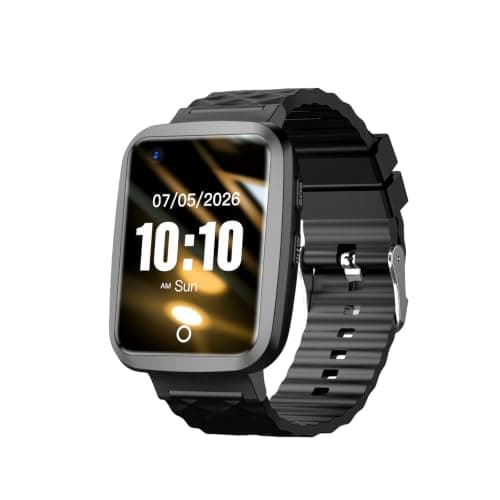
Alerts go to a family member's phone rather than a monitoring center, and the first year of data service is included — so there is no monthly bill to start. Read the SIM note before you buy: the included card is data-only, and voice calling needs a different SIM you supply.

What it gets right

  • One year of data service included, so no subscription in the first year
  • Alerts route to a family member's phone via the app, not through a call center
  • Large high-contrast touchscreen, published as designed for senior usability
  • IP67, so hand-washing and rain are fine

What to know first

  • The pre-installed SIM is DATA ONLY. Voice calling needs you to source and fit a VoLTE SIM yourself
  • Advertises a 'blood pressure reference' — that is not a validated blood-pressure measurement and should not be treated as one
  • No published battery life
  • Nothing published about how the fall algorithm decides, or its false-alarm rate

Fit-to-You: the nine measurements

Fajocru does not publish 1 of 6 of these. Where that is the case, this panel says so rather than guessing. How we compile these

How a fall is detectedHow a fall is actually detected, and who the alert reaches.
Automatic detection of a sudden fall triggers an SOS alarm and notifies contacts through the app. The detection method is not described

Source: Amazon product listing data (Creators API) · read 2026-07-24

Who the alert reachesHow a fall is actually detected, and who the alert reaches.
Family or caregiver phones via the app. No monitoring center

Source: Amazon product listing data (Creators API) · read 2026-07-24

Monthly subscriptionThe monthly cost that isn't on the price tag.
None in year one — one year of data service is included with the device

Source: Amazon product listing data (Creators API) · read 2026-07-24

Battery lifeHow often somebody has to remember to charge it.
Not published by the manufacturer
Water resistanceWhether it can be worn in the shower — where a great many falls happen.
IP67 — hand-washing and rain, not showering or bathing

Source: Amazon product listing data (Creators API) · read 2026-07-24

Display and controlsCharacter height and contrast. Presbyopia is close to universal past 60.
Large high-contrast touchscreen with a simplified interface; two-way voice; character height not published

Source: Amazon product listing data (Creators API) · read 2026-07-24

We have not used this machine. Everything above comes from the manufacturer’s published documentation and the dated retailer listing, with the source given for each figure. Where they don’t publish a number, we say so. We can’t tell you how it feels to ride, how quiet it really is, or how it holds up after two years — and anyone who tells you otherwise without owning one is guessing.
2.Published monthly price

Seculife Cellular Medical Alert Smartwatch(850077248054)

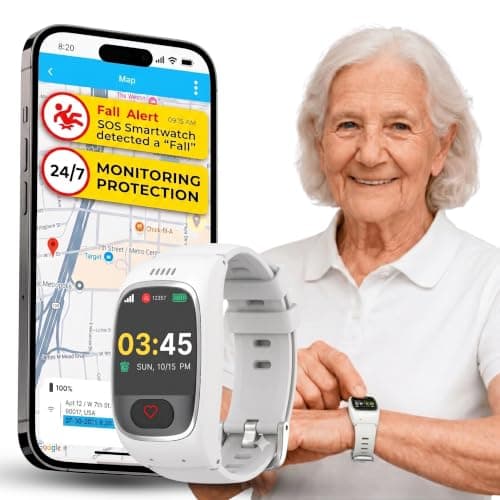
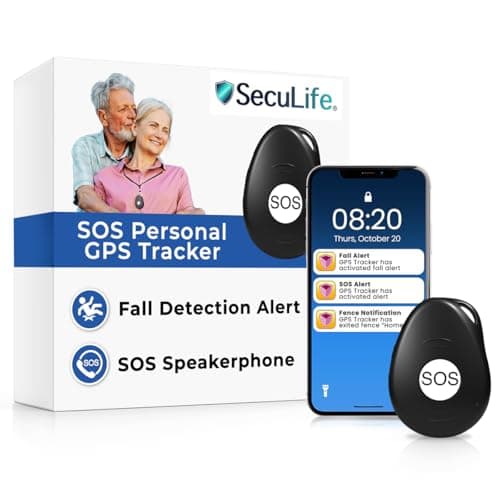
The subscription is the story. Seculife publishes it plainly — $25 a month for unlimited fall alerts, live tracking and voice minutes — which means the real first-year cost is close to $400, not the $89 on the price tag. It is also the only device here that publishes its ongoing price at all.

What it gets right

  • Publishes the subscription cost up front: $25 a month, unlimited fall alerts and voice minutes
  • Alerts go direct to family, with no call-center middle step
  • One year of location history retained, published
  • Medication reminders and a large SOS button on a simple interface

What to know first

  • $25 a month means about $389 in the first year, not the $89 sticker price
  • Advertises blood-pressure tracking. That is not a validated medical measurement — do not use it to make decisions about medication
  • No published battery life
  • IP67 only, so not for the shower — where a lot of falls happen

Fit-to-You: the nine measurements

Seculife does not publish 1 of 6 of these. Where that is the case, this panel says so rather than guessing. How we compile these

How a fall is detectedHow a fall is actually detected, and who the alert reaches.
Automatic hard-fall detection, plus a press-and-hold SOS button. The detection method is not described

Source: Amazon product listing data (Creators API) · read 2026-07-24

Who the alert reachesHow a fall is actually detected, and who the alert reaches.
Pre-set family and caregiver contacts directly, with two-way speakerphone

Source: Amazon product listing data (Creators API) · read 2026-07-24

Monthly subscriptionThe monthly cost that isn't on the price tag.
$25 per month, required. Unlimited fall alerts, live tracking and voice minutes

Source: Amazon product listing data (Creators API) · read 2026-07-24

Battery lifeHow often somebody has to remember to charge it.
Not published by the manufacturer
Water resistanceWhether it can be worn in the shower — where a great many falls happen.
IP67 — light rain and hand-washing, not showering

Source: Amazon product listing data (Creators API) · read 2026-07-24

Display and controlsCharacter height and contrast. Presbyopia is close to universal past 60.
Large clear screen with a large SOS button and simple navigation; character height not published

Source: Amazon product listing data (Creators API) · read 2026-07-24

We have not used this machine. Everything above comes from the manufacturer’s published documentation and the dated retailer listing, with the source given for each figure. Where they don’t publish a number, we say so. We can’t tell you how it feels to ride, how quiet it really is, or how it holds up after two years — and anyone who tells you otherwise without owning one is guessing.
3.We would skip this one

Seculife SOS Wristband with Fall Detection

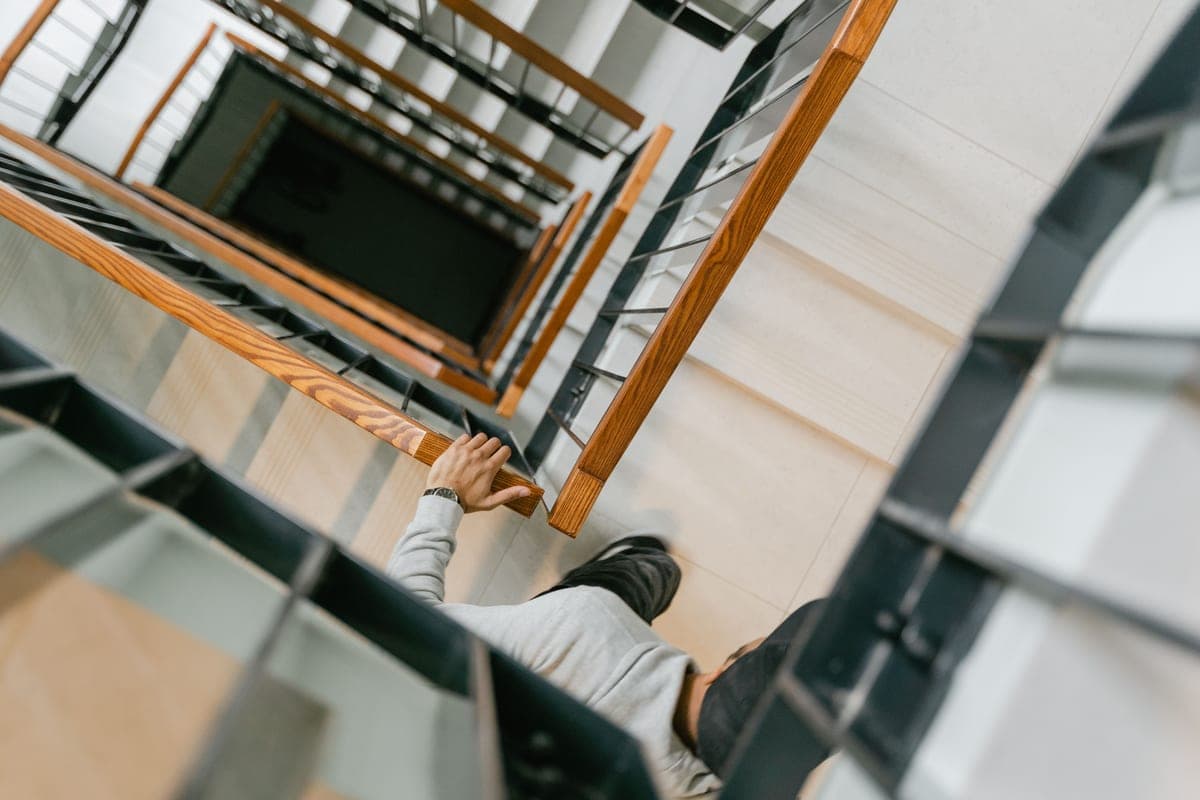
No screen at all — one button, fall detection, two-way calling. For someone who will not wear a smartwatch or cannot read one, removing the screen removes the reason not to wear it. Same $25 a month as its sibling.

Why we would skip it

Skip this one if the person will actually wear a watch. For the identical $25 a month, the watch version of this device adds a clock, a step count, medication reminders and — the part that matters — a visible confirmation that the thing is switched on and connected. A screen-free band gives no feedback at all, which is a genuine problem for a safety device that might sit dead on a wrist for a week before anyone notices. Buy this only when the alternative is a watch that comes off on day two and stays in a drawer, which is a real and common outcome.

What it gets right

  • Screen-free: nothing to read, nothing to learn, one button
  • Hands-free auto-answer, so an incoming call from family connects without a button press
  • Blocks spam callers, published — a real issue on a device given to an older adult
  • Geofence alerts to the caregiver app

What to know first

  • $25 a month, required — the same as the watch, without the display
  • No screen means no clock, no step count, no confirmation the device is working
  • No published battery life
  • IP67 splash resistance only

Fit-to-You: the nine measurements

Seculife does not publish 1 of 6 of these. Where that is the case, this panel says so rather than guessing. How we compile these

How a fall is detectedHow a fall is actually detected, and who the alert reaches.
Automatic fall detection or a single button press. The detection method is not described

Source: Amazon product listing data (Creators API) · read 2026-07-24

Who the alert reachesHow a fall is actually detected, and who the alert reaches.
Pre-set family contacts directly through the Secupro app. No call center

Source: Amazon product listing data (Creators API) · read 2026-07-24

Monthly subscriptionThe monthly cost that isn't on the price tag.
$25 per month, required

Source: Amazon product listing data (Creators API) · read 2026-07-24

Battery lifeHow often somebody has to remember to charge it.
Not published by the manufacturer
Water resistanceWhether it can be worn in the shower — where a great many falls happen.
IP67 — rain, splashes and hand-washing

Source: Amazon product listing data (Creators API) · read 2026-07-24

Display and controlsCharacter height and contrast. Presbyopia is close to universal past 60.
No screen. One button, plus hands-free auto-answer for incoming calls

Source: Amazon product listing data (Creators API) · read 2026-07-24

We have not used this machine. Everything above comes from the manufacturer’s published documentation and the dated retailer listing, with the source given for each figure. Where they don’t publish a number, we say so. We can’t tell you how it feels to ride, how quiet it really is, or how it holds up after two years — and anyone who tells you otherwise without owning one is guessing.
What we found looking for these numbers

We went looking for 18 measurements across the 3machines on this page — the nine that decide whether an older adult can get on, reach the controls, read the screen and hear themselves think. 3 of those 18 are not published by anybody. Not one manufacturer here publishes the full set.

Step-over height is the worst of them. It is the single measurement that decides whether you can get onto a machine at all, and across everything we checked, not one manufacturer states it. That is not an oversight in a category explicitly marketed to seniors, and the count in each panel above is there so you can see who is doing it.

Where a figure exists, we cite it and date it. Where it doesn’t, the panel says Not published by the manufacturer rather than an estimate dressed up as a fact. You can measure step-over height yourself in about a minute — and if a machine is already in your house, that is the fastest way to settle it.

The subscription, laid out plainly

Here is the actual first-year cost, from published figures:

  • Fajocru V46: one year of data service included with the device. No monthly fee in year one. What happens after twelve months is not published, which is worth asking about before you buy.
  • Seculife smartwatch: $25 a month, required, published. Covers unlimited fall alerts, unlimited live tracking and unlimited voice minutes.
  • Seculife wristband: $25 a month, required, published. The same service on a device with no screen.

Whether the subscription is worth it depends on what it buys, and here the Seculife devices are doing something real: a cellular connection with unlimited voice minutes means the device works away from home and without a paired phone. The Fajocru gets there differently — a data-only SIM with a year prepaid.

Which brings us to the Fajocru’s own caveat, and it is a significant one: the included SIM is data-only and does not support voice calling. If you want the two-way voice feature that its own listing advertises, you have to source and fit a VoLTE SIM yourself. For the buyer of a senior-focused device that is a real piece of technical work, and it is published in a note near the bottom of the listing.

What none of them will tell you about fall detection

All three advertise automatic fall detection. Not one publishes how it works, how sensitive it is, or how often it gets it wrong.

That matters in both directions. A device that misses a slow slide to the floor — which is what a lot of real falls look like, rather than a dramatic drop — has failed at its one job. A device that fires every time someone sets a bag down heavily produces false alarms, and false alarms are how devices end up in drawers.

We have no way to test this and we are not going to pretend otherwise. What we can tell you is that every one of these has a manual SOS button as well, and that the manual button is the feature you should evaluate hardest, because it is the one whose behavior is predictable.

No published battery life on any of the three, either. On a safety device somebody has to remember to charge, that is the second-most annoying omission on this page.

The health readings to ignore

Two of these devices advertise blood pressure tracking, and one calls it a “blood pressure reference”. We want to be direct about this.

These are not validated blood-pressure measurements and should not be used to make any decision about medication, or about whether to see a doctor. A wrist-worn optical sensor is not a blood-pressure cuff, and none of these devices has been through the approval process a blood-pressure monitor requires. The word “reference” in one of the listings is doing a lot of quiet work.

The same caution applies more mildly to the blood-oxygen and heart-rate figures. They may be interesting; they are not clinical. If you need to monitor blood pressure, buy a validated upper-arm cuff and ask your doctor which one.

Buy these devices for the fall alert, the SOS button and the GPS. Treat every health metric on them as a novelty.

The thing a watch cannot do

A fall-detection device tells someone after you have fallen. It does nothing to stop the fall, and the CDC’s figures are that more than one in four adults over 65 falls each year and that falling once doubles the chance of falling again.

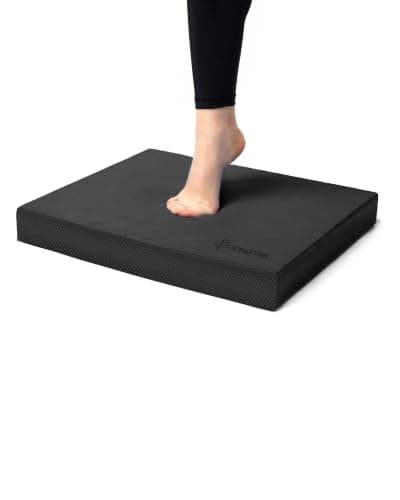
So if you are buying one of these, buy the $25 balance pad as well. It costs a third of one month’s subscription, and balance work is what actually addresses the risk. The National Institute on Aging is explicit that improved physical function reduces both the chance of a fall and the likelihood of serious injury from one.

And go through the home checklistbefore you spend anything at all. Several of the highest-value items on it — a nightlight on the route to the bathroom, taking up a loose rug, not wearing reading glasses on the stairs — cost nothing.

One more honest limit: IP67 on all three of these means not for the shower. A meaningful share of falls happen in the bathroom, on a wet floor, where the device will be on a bedside table. That is worth knowing about the protection you are buying.

General information, not medical advice. Tread & Tone is written by an enthusiast, not a clinician. Nobody here is a doctor, a physical therapist or a trainer, and nothing on this site has been medically reviewed. Talk to your doctor or physical therapist before starting something new, particularly after surgery, a fall, or a change in medication.

Questions people ask

Do fall detection watches need a monthly subscription?

Two of the three here do — $25 a month, published, required — which turns an $89 device into roughly $389 in the first year. One includes a year of data service in the purchase price instead, though what happens in year two is not published. Check for the ongoing cost before you buy anything in this category; it is the single largest difference between these devices and it is rarely in the headline.

Who gets the alert when someone falls?

On all three of these, a family member or caregiver's phone, through the manufacturer's app. None uses a 24-hour monitoring center with trained operators, which is what traditional medical-alert services provide. Direct-to-family is faster and cheaper when there is someone attentive nearby; it is not a substitute for a monitoring service if the person lives alone with no one close.

How reliable is automatic fall detection?

Nobody publishes a figure, and we have no way to test it, so we mark the detection method as undescribed on all three. Be aware that many real falls are slow slides rather than dramatic drops, which are harder to detect. Every device here also has a manual SOS button, and that is the feature to evaluate hardest because its behavior is predictable.

Can I trust the blood pressure readings?

No, and we would put that plainly. A wrist-worn optical sensor is not a blood-pressure cuff, and none of these devices has been through the approval a blood-pressure monitor requires — one listing calls it a 'reference', which is doing a lot of quiet work. Do not use these numbers to make decisions about medication. If you need to monitor blood pressure, buy a validated upper-arm cuff and ask your doctor which.

Can these be worn in the shower?

No. All three are IP67, which covers rain, splashes and hand-washing but not showering or bathing. That is a real limitation, because a meaningful share of falls happen on a wet bathroom floor — precisely when the device will be sitting on a bedside table. If bathroom falls are the specific worry, a grab bar and a non-slip mat address it and a watch does not.

Watch or screenless band?

The watch, if the person will actually wear one — for the same $25 a month it adds a clock, a step count, medication reminders and, most importantly, visible confirmation that the device is on and connected. A screenless band gives no feedback at all, which is a genuine problem for a safety device that could sit dead on a wrist for a week. Buy the band only when the alternative is a watch that comes off on day two.

Is a fall detection device better than a balance program?

They do different jobs and the balance program is the one that changes the odds. A watch tells someone after you have fallen; balance work and a tidied-up home reduce the chance of falling at all. If the budget is limited, spend $25 on a balance pad and work through the home checklist first — that is a third of one month's subscription.

Sources

Product measurements are cited individually inside each Fit-to-You panel, against the manufacturer page or dated retailer listing they were read from.

Read next