Best Fall Alert
Best Fall Detection Watches for Seniors
The monthly subscription is the real price, and only one of these publishes it. What each device actually does when someone falls.
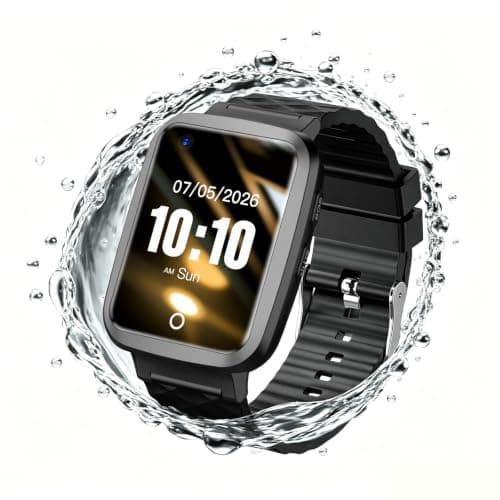
Top pick: Fajocru Fall Detection Watch for Seniors
It is a real feature with a published mechanism, and Apple is honest that it “cannot detect all falls”. Whether it is the right buy comes down to three questions about the person wearing it, not about the watch.
How this is funded: we earn a commission if you buy through our links, at no extra cost to you. It never changes what we recommend, and every page here names at least one thing we would not buy. Full disclosure.
The short answer
Apple Watch fall detection is real, well documented and genuinely useful — and Apple says plainly that it “cannot detect all falls” and that it “might detect high-impact activity as a fall”. On a hard fall it taps the wrist, sounds an alarm and shows an alert; if there is no response it starts a 30-second countdown; and if it detects you have been immobile for about a minute, it calls emergency services on its own. If the person already uses an iPhone, will wear a watch and will charge it, it is a strong choice. If any of those three is shaky, a dedicated device is the better buy — and the cheapest intervention of all is still balance work.
This is one of the few product questions on this site where the manufacturer publishes enough to answer it properly, so this page is mostly Apple’s own documentation quoted and then weighed. We do not sell Apple Watches, we have no Apple device in our registry, and we are not going to pretend to have tested fall detection by falling over.
The models.Apple lists the feature on “Apple Watch SE or later, Apple Watch Series 4 or later, or Apple Watch Ultra or later”. If you are looking at a second-hand watch to keep the cost down, that sentence is the one to check it against first.
The alert.On detecting a hard fall, “it taps you on the wrist, sounds an alarm, and displays an alert”, with the choice to call emergency services or dismiss it. The tap matters more than it sounds: a wrist tap reaches somebody who has hearing loss and has not noticed the alarm.
The countdown.If you do not respond, “it begins a 30-second countdown, while tapping you on the wrist and sounding an alert”. Thirty seconds is enough to cancel a false alarm and short enough to matter in a real one.
The immobility call.This is the part that makes it a genuine safety feature rather than a panic button on your wrist: “If your watch detects that you’ve been immobile for about a minute, it will make the call automatically.” Somebody who falls, is hurt and cannot reach anything gets help without doing anything.
It probably turns itself on.“If you entered your age when you set up your Apple Watch, or in the Health app, and you’re age 55 and over, this feature turns on automatically.” Two consequences: most people in this age group do not have to configure anything, and a watch set up without an age may have it silently switched off — worth checking on a watch that was a gift or a hand-me-down.
We would put these two sentences in front of anybody treating a watch as a safety plan: “Apple Watch cannot detect all falls. Your watch might detect high-impact activity as a fall and trigger Fall Detection.”
Both halves have practical consequences.
It can miss.Fall detection works on the signature of a hard impact. A slow slide down a wall, a gentle subsidence onto a bed, or a fall cushioned by furniture may not produce one. That is not a defect; it is the nature of the measurement, and it is why “they have a watch” should not end a conversation about somebody who is falling.
It can fire when nothing happened.Apple names high-impact activity specifically. Clapping hard, dropping the arm onto a table, some gardening and some sports can all produce the signature. The 30-second countdown exists precisely so false positives are dismissible, but a device that occasionally alarms is a device some people stop wearing — which is the real risk the false positives create.
Not features. These:
1. Is there an iPhone in the picture? An Apple Watch is part of an ecosystem. If the person does not use an iPhone and does not want to, this decision is already made and a dedicated device is the answer.
2. Will it be worn and charged?This is the question that sinks more safety devices than any specification. A watch is a screen device on a charging schedule. For somebody who has worn a watch every day for fifty years and manages a phone comfortably, that is nothing. For somebody who does not currently wear anything, adding a daily charging habit is a real behavioural ask — and the honest comparison point is the one dedicated device in our registry that publishes a battery figure at all: 3 to 5 days. We have not verified an Apple battery figure and will not quote one.
3. Who should the alert reach? This is the difference people discover too late. The watch is built around calling emergency services and notifying your emergency contacts. Some families want something different: an alert to two named phones, with a two-way conversation, or a monitoring service that answers at 3am so a daughter in another state is not the first responder. The dedicated devices below are built around exactly that, and two of the three publish a monthly price for it.
| Machine | How a fall is detected | Who the alert reaches | Monthly subscription | Battery life |
|---|---|---|---|---|
| Fajocru Fall Detection Watch for Seniors | Automatic detection of a sudden fall triggers an SOS alarm and notifies contacts through the app. The detection method is not described | Family or caregiver phones via the app. No monitoring center | None in year one — one year of data service is included with the device | Not published by the manufacturer |
| Seculife Medical Alert Smartband for Seniors | Automatic fall detection, or the SOS button held for three seconds. Either one places the emergency call. The detection method is not described | Pre-set family and caregiver contacts directly, with two-way speakerphone | $25 per month, required. Unlimited fall alerts, live tracking and voice minutes | Not published by the manufacturer |
| Seculife Medical Alert Pendant with Fall Detection | Automatic fall detection, or the SOS button held for three seconds. The detection method is not described | Pre-set family and caregiver contacts directly through the caregiver app, and 911 can be added as a contact. No call center | Plans start at $20 per month, required. Unlimited tracking, two-way calling and instant alerts | 3 to 5 days |
Two things worth noticing. Not one of the three describes howit detects a fall — they all say “automatic fall detection” and stop, where Apple at least documents the behaviour and states its limits. And the subscription row is where the real comparison lives: a device at $89 with a required $25 monthly plan costs close to $400 over a first year, which puts it in watch territory. Our fall-detection shortlist works through that arithmetic device by device.
A fall-detection device changes what happens after a fall. It does not change whether one happens, and that is where the leverage is.
The CDC reports that more than one in four adults 65 and over falls each year, and that falling once doubles the chance of falling again. Its clinical fall-prevention program is built on screening and intervening, not on detecting. And the National Institute on Aging lists the interventions that reduce risk: strength and balance work, a review of medications that cause dizziness, an eye test, and dealing with the specific hazards in the house.
All four of those cost less than a watch. Balance work costs nothing at all — two minutes a day beside a kitchen counter. Our printable balance routine is six exercises from NIA guidance, and our home fall-prevention guide is the room-by-room version. If the reason you are reading this page is that somebody has started falling, those two pages are a better use of the next ten minutes than any device comparison, including ours.
And if somebody has started falling, that is a reason to see a doctor rather than a reason to shop. The NIA treats new balance problems as something to raise with a clinician, because several of the common causes are treatable. Nobody here is a clinician and nothing on this site has been medically reviewed.
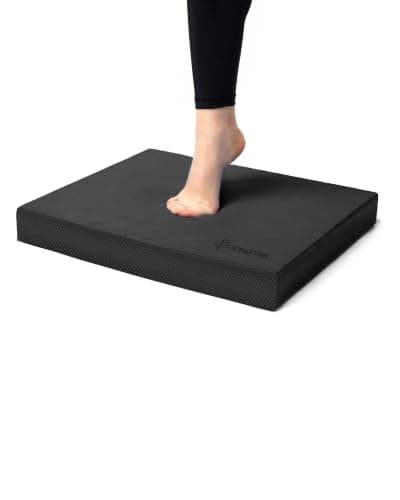
Related reading: our balance equipment shortlist covers the pads and cushions that make the two-minute routine harder as you improve, and buying equipment for an aging parent is the page to read if you are making this decision for somebody else.
General information, not medical advice. Tread & Tone is written by an enthusiast, not a clinician. Nobody here is a doctor, a physical therapist or a trainer, and nothing on this site has been medically reviewed. Talk to your doctor or physical therapist before starting something new, particularly after surgery, a fall, or a change in medication.
Apple's own description: on detecting a hard fall 'it taps you on the wrist, sounds an alarm, and displays an alert', giving you the option to call emergency services or dismiss it. If you do not respond, 'it begins a 30-second countdown, while tapping you on the wrist and sounding an alert', and separately, 'if your watch detects that you've been immobile for about a minute, it will make the call automatically.' The two behaviours together are what make it useful for somebody who falls and cannot reach a phone.
Apple lists it on 'Apple Watch SE or later, Apple Watch Series 4 or later, or Apple Watch Ultra or later'. That rules out the earliest models, so a second-hand watch is worth checking against that list before buying. Apple also states that if you entered your age at setup or in the Health app and you are 55 or over, the feature turns on automatically — worth knowing both because it means you probably do not have to configure it, and because it means a watch set up without an age may have it switched off.
Apple answers this itself, in two sentences we would quote to anybody considering it as a safety plan: 'Apple Watch cannot detect all falls. Your watch might detect high-impact activity as a fall and trigger Fall Detection.' Both halves matter. It can miss — a slow slide down a wall is not a hard fall — and it can fire when nothing happened, which is where the false alarms people complain about come from. Treat it as a useful layer, not as a guarantee.
It depends entirely on three things about the person: whether they already live in the Apple ecosystem, whether they will reliably charge and wear a screen device, and who they want the alert to reach. The watch wins on being something people actually want to wear and on doing a dozen other things. A dedicated pendant wins on simplicity, on multi-day battery, and on reaching a contact list or a monitoring service without a phone being part of the chain. A watch nobody charges is worse than a pendant nobody notices.
Apple's fall detection itself is a device feature rather than a subscription service, which is a genuine advantage over the dedicated devices on this site — two of the three publish a required monthly plan at $20 and $25 a month. What a watch may need is a cellular plan if the person is to be covered when away from their phone and Wi-Fi, which is its own monthly cost. Work out the total for a year before comparing prices, because that is the comparison that changes the answer.
The device is the last line, not the plan. The CDC reports that more than one in four adults 65 and over falls each year and that falling once doubles the chance of falling again, and its clinical fall-prevention guidance is built on screening and intervening rather than on detection. The highest-value interventions are balance and strength work, a medication review with a doctor or pharmacist, an eye test, and removing the specific hazards in the home. A fall-detection device changes what happens after a fall. Those change whether it happens.
Product measurements are cited individually inside each Fit-to-You panel, against the manufacturer page or dated retailer listing they were read from.
Best Fall Alert
The monthly subscription is the real price, and only one of these publishes it. What each device actually does when someone falls.
Top pick: Fajocru Fall Detection Watch for Seniors
A room-by-room list drawn from CDC and NIA guidance, ordered by how much difference each change makes relative to its cost.
Read the guideSix exercises from the National Institute on Aging, in order of difficulty, with a printable one-page version to keep by the counter.
Read the guideBest Balance Gear
Pads, cushions, boards and rails ranked by how safely you can start — including the one we tell you not to start on.
Top pick: StrongTek Extra Wide TPE Balance Pad
Price as of October 11, 2026. #ad How we’re funded
How to buy something a parent will actually use rather than resent — starting with the measurements that decide whether they can get on it at all.
Read the guidePast 80 the constraint is rarely fitness — it is getting onto the thing, holding onto it, and standing long enough to use it. Which published specifications those three point at.
Read the guide