Tread & Tone

Life Alert Alternatives

What Life Alert sells is a 24/7 monitoring center and the use of the equipment, not a gadget. Understand that and the shopping question changes completely — because the cheap no-fee devices replace the button, not the people.

By Stephen V.Last updated How we choose

How this is funded: we earn a commission if you buy through our links, at no extra cost to you. It never changes what we recommend, and every page here names at least one thing we would not buy. Full disclosure.

The closest thing to Life Alert you can buy outright, with no monthly fee, is the AtsCares HD700V8 — because it is the only no-fee device in our registry that actually places a call. Press the button and it dials up to three phone numbers in sequence and plays a message you recorded yourself. That is the one thing a cheap caregiver pager cannot do: get the alert out of the building. Our budget pick is the TurboSense Wi-Fi pager, which costs a small fraction of anything else here and publishes the longest range in the group — but read the section below before you buy it, because it is a pager and a pager is not a Life Alert replacement for somebody who lives alone.

Start with what Life Alert itself publishes, because this is where most pages on this query go wrong. On its own site, Life Alert sells a monitored service, not a device: membership includes “FREE use of equipment”, free ground shipping and a free gift with purchase, and its wall button is described as connecting you “directly to our 24/7 emergency monitoring center with a single press”. Its HELP On-the-Go + GPS unit connects “directly to a Life Alert emergency dispatcher… from anywhere in the USA”, on AT&T cellular coverage, with its own footnote that service may not be available in all areas. The company states it has been operating since 1987. That dispatch center is the product. Everything below replaces some part of it and nothing below replaces all of it.

One thing we will not do on this page: quote you a Life Alert price.Life Alert does not publish one. Every call to action on its site is “For info or a FREE brochure call” a phone number, and the only pricing language anywhere on the page is a promotion — “Order now to get 1 MONTH FREE” — footnoted “when you pay one year in advance”. Every dollar figure you have read for Life Alert came from somebody’s recollection, not from Life Alert. We are not going to add another one. Call them and ask, then compare that number against the live prices in the buttons below.

Three questions decide the ranking here, and they are the right three to ask of any device in this category. First, when the button is pressed, what actually happens? A call placed to a phone, a push notification, or a chime in the next room are three completely different products sold under the same words. Second, who hears it?A dispatcher, a family member’s phone, or whoever happens to be in the house. Third, what does it cost every month, and does the maker say so?

And here is the finding that should reframe the whole search. “No monthly fee” is the most-searched phrase in this category and it is very nearly always achieved by removing the monitoring, not by giving it to you free. Of the four devices below, the two with no fee reach a receiver in your house or a phone you have paired; the two that reach a service charge for it, and Seculife is the only maker in our registry that publishes the ongoing price at all. If you live with somebody, the no-fee route is excellent and this page will save you a lot of money. If you live alone, be honest about what the chime achieves.

Live prices sit inside the buttons with the date of our last check — our most recent read was November 22, 2026. We have not used any of these devices, and nothing here is medical advice. What we did instead is written down.

Quick picks

Ranked on the published accessibility measurements and on who each machine actually suits. Select a row to jump to the full write-up. The last column is the number of the nine measurements the manufacturer will not publish — we have not used any of these machines, and here is exactly what we did instead.

#MachineBest forSpecs withheldPrice
1
AtsCares Medical Alert System with No Monthly Fees

AtsCares Medical Alert System with No Monthly Fees

Getting the alert out of the house

Closest without a fee1of 8
$149.77 · Check price on Amazon

Price as of November 22, 2026. #ad How we’re funded

2
Seculife Medical Alert Smartband for Seniors

Seculife Medical Alert Smartband for Seniors

A published, all-in monthly price

Closest with a fee1of 6
$89.00 · Check price on Amazon

$100.0011% off

Price as of November 22, 2026. #ad How we’re funded

3
Seculife Medical Alert Pendant with Fall Detection

Seculife Medical Alert Pendant with Fall Detection

We would skip this one — see below

If a band won't be worn0of 6
$89.00 · Check price on Amazon

Price as of November 22, 2026. #ad How we’re funded

4
TurboSense Wi-Fi Caregiver Pager with SOS Watch Button

TurboSense Wi-Fi Caregiver Pager with SOS Watch Button

The longest published range

Budget pick1of 8
$31.99 · Check price on Amazon

$39.9920% off

Price as of November 22, 2026. #ad How we’re funded

1.Closest without a fee

AtsCares Medical Alert System with No Monthly Fees(HD700V8)
AtsCares Medical Alert System with No Monthly Fees
$149.77 · Check price on Amazon

Price as of November 22, 2026. #ad How we’re funded

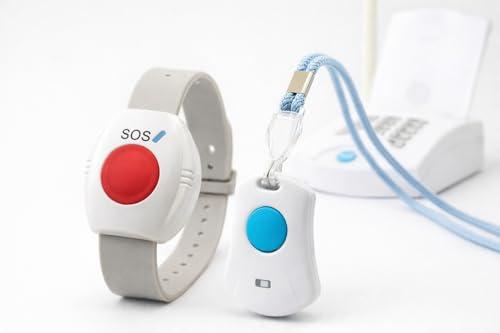
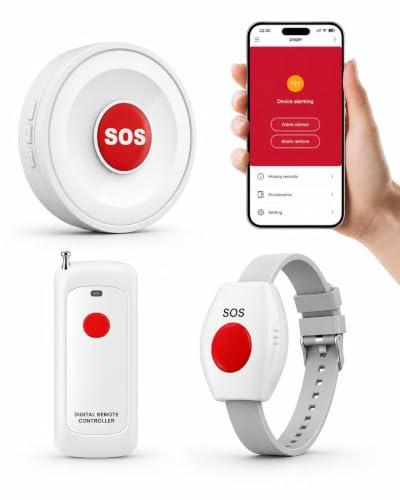
The only no-fee device here that actually places a call. Press the button and it dials up to three phone numbers in sequence and plays a message you recorded yourself — so the alert leaves the building, which is the one thing a caregiver pager cannot do. It needs a working home phone line, and the people it calls are the ones you nominate, not a dispatcher.

What it gets right

  • Publishes outbound calling: dials up to 3 phone numbers in sequence and plays your own recorded emergency message
  • Published range between pendant and base of 70,000 sq ft of coverage
  • Comes with 2 panic buttons (1 wrist, 1 necklace) and is published as expandable to 8 in any combination
  • No monthly fee, stated plainly by the maker
  • Published as waterproof — the listing names the shower, kitchen, garden and daily walks

What to know first

  • Uses the home phone line, so a household with no landline cannot use it at all
  • It calls the numbers you program, not a 24/7 dispatcher — nobody is trained, awake and waiting at the other end
  • No fall detection of any kind: somebody has to press the button
  • Several times the price of a caregiver pager, and no two-way voice conversation is published
  • No published battery life for the buttons

Fit-to-You: the nine measurements

AtsCares does not publish 1 of 8 of these. Where that is the case, this panel says so rather than guessing. How we compile these

What happens when it is pressedThe whole question on an alert device: when the button is pressed, what happens, and who hears it. A chime in an empty house is not a help call.
"Instantly sequentially calls up to 3 phone numbers & plays your personalized emergency message" — an outbound call, not a pager chime

Source: Amazon product listing data (Creators API) · read 2026-11-22

Who the alert reachesThe whole question on an alert device: when the button is pressed, what happens, and who hears it. A chime in an empty house is not a help call.
Up to three phone numbers that you program. No monitoring center and no 911 dispatcher is published

Source: Amazon product listing data (Creators API) · read 2026-11-22

Monthly subscriptionThe monthly cost that isn't on the price tag.
None. "No Monthly Fees" is the maker's own headline claim

Source: Amazon product listing data (Creators API) · read 2026-11-22

What it needs to workWhat the device needs in order to work at all — Wi-Fi, a landline, a cellular SIM or just a wall socket. It is the spec that rules a household in or out.
A home phone line — the listing states "Uses Home Phone Line". No Wi-Fi or cellular option is published

Source: Amazon product listing data (Creators API) · read 2026-11-22

Range from the baseHow far from the receiver the button still works, and whether the figure is through walls or in the open. Those are very different numbers.
"The range between the pendants and the base unit is 70,000 square feet of coverage"

Source: Amazon product listing data (Creators API) · read 2026-11-22

Buttons included and maximumHow many buttons come in the box and how many the base will take. One button covers one room.
2 included (1 wrist, 1 necklace lanyard); expandable to 8 total in any combination of wrist or necklace

Source: Amazon product listing data (Creators API) · read 2026-11-22

Water resistanceWhether it can be worn in the shower — where a great many falls happen.
Described as fully waterproof and named for the shower, kitchen, garden and daily walks. No IP rating is published

Source: Amazon product listing data (Creators API) · read 2026-11-22

Battery lifeHow often somebody has to remember to charge it.
Not published by the manufacturer

We have not used this machine. Everything above comes from the manufacturer’s published documentation and the dated retailer listing, with the source given for each figure. Where they don’t publish a number, we say so. We can’t tell you how it feels to ride, how quiet it really is, or how it holds up after two years — and anyone who tells you otherwise without owning one is guessing.
2.Closest with a fee

Seculife Medical Alert Smartband for Seniors

Seculife Medical Alert Smartband for Seniors
$89.00 · Check price on Amazon

$100.0011% off

Price as of November 22, 2026. #ad How we’re funded

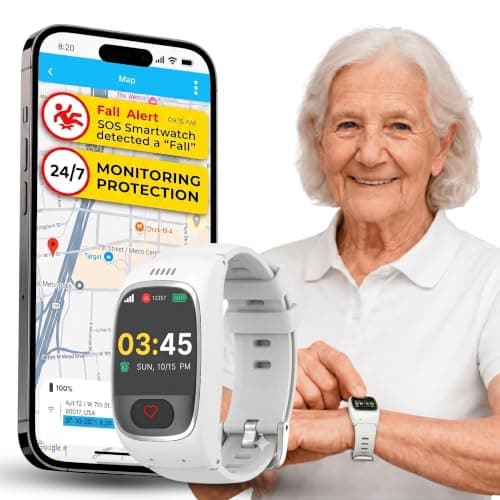
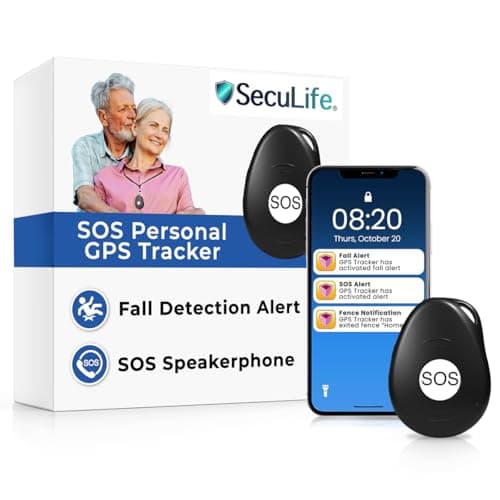
The subscription is the story. Seculife publishes it plainly — $25 a month for unlimited fall alerts, live tracking and voice minutes — which means the real first-year cost is close to $400, not the $89 on the price tag. Seculife is the only maker here that publishes an ongoing price at all.

What it gets right

  • Publishes the subscription cost up front: $25 a month, unlimited fall alerts and voice minutes
  • Alerts go direct to family, with no call-center middle step
  • One year of location history retained, published
  • Hands-free auto-answer, so a call from an approved contact connects without a button press

What to know first

  • $25 a month means about $389 in the first year, not the $89 sticker price
  • Nothing published about how the fall algorithm decides, or how often it gets it wrong
  • No published battery life — the listing says only 'extended'
  • IP67 only, so not for the shower — where a lot of falls happen

Fit-to-You: the nine measurements

Seculife does not publish 1 of 6 of these. Where that is the case, this panel says so rather than guessing. How we compile these

How a fall is detectedHow a fall is actually detected, and who the alert reaches.
Automatic fall detection, or the SOS button held for three seconds. Either one places the emergency call. The detection method is not described

Source: Amazon product listing data (Creators API) · read 2026-09-29

Who the alert reachesHow a fall is actually detected, and who the alert reaches.
Pre-set family and caregiver contacts directly, with two-way speakerphone

Source: Amazon product listing data (Creators API) · read 2026-09-29

Monthly subscriptionThe monthly cost that isn't on the price tag.
$25 per month, required. Unlimited fall alerts, live tracking and voice minutes

Source: Amazon product listing data (Creators API) · read 2026-09-29

Battery lifeHow often somebody has to remember to charge it.
Not published by the manufacturer
Water resistanceWhether it can be worn in the shower — where a great many falls happen.
IP67 — light rain and hand-washing, not showering

Source: Amazon product listing data (Creators API) · read 2026-09-29

Display and controlsCharacter height and contrast. Presbyopia is close to universal past 60.
2.0 in display with a large SOS button and simple navigation; character height not published

Source: Amazon product listing data (Creators API) · read 2026-09-29

We have not used this machine. Everything above comes from the manufacturer’s published documentation and the dated retailer listing, with the source given for each figure. Where they don’t publish a number, we say so. We can’t tell you how it feels to ride, how quiet it really is, or how it holds up after two years — and anyone who tells you otherwise without owning one is guessing.
3.We would skip this one

Seculife Medical Alert Pendant with Fall Detection

Seculife Medical Alert Pendant with Fall Detection
$89.00 · Check price on Amazon

Price as of November 22, 2026. #ad How we’re funded

No screen at all — one button, fall detection, two-way calling, worn on a cord or clipped to a belt. For someone who will not wear a smartband or cannot read one, removing the screen removes the reason not to wear it. The plan is $20 a month, $5 less than its sibling.

Why we would skip it

Skip this one if the person will actually wear something on their wrist. The $20 plan does save $60 a year against the smartband, and that is a real argument — but what you give up for it is every piece of feedback the device itself can give: no clock, no screen, nothing on the device to confirm it is switched on and connected. Battery level and signal live in the caregiver's app instead, so the person wearing it has no way to check. That is a genuine problem for a safety device that might sit dead on a cord for a week before anyone notices. Buy this only when the alternative is a band that comes off on day two and stays in a drawer, which is a real and common outcome.

What it gets right

  • Screen-free: nothing to read, nothing to learn, one button held for three seconds
  • Blocks unknown callers, published — only approved contacts can reach the device
  • 3 to 5 days of battery, published. It is the only device here that states a figure at all
  • Wears on a cord, clips to a belt or goes on a keyring

What to know first

  • $20 a month, required — about $329 in the first year, not the $89 sticker price
  • No screen means no clock and no way for the wearer to confirm the device is working
  • IP67 splash resistance only, so not for the shower
  • Nothing published about how the fall algorithm decides, or how often it gets it wrong

Fit-to-You: the nine measurements

Seculife publishes every measurement on this list. That is unusual enough to be worth saying. How we compile these

How a fall is detectedHow a fall is actually detected, and who the alert reaches.
Automatic fall detection, or the SOS button held for three seconds. The detection method is not described

Source: Amazon product listing data (Creators API) · read 2026-09-29

Who the alert reachesHow a fall is actually detected, and who the alert reaches.
Pre-set family and caregiver contacts directly through the caregiver app, and 911 can be added as a contact. No call center

Source: Amazon product listing data (Creators API) · read 2026-09-29

Monthly subscriptionThe monthly cost that isn't on the price tag.
Plans start at $20 per month, required. Unlimited tracking, two-way calling and instant alerts

Source: Amazon product listing data (Creators API) · read 2026-09-29

Battery lifeHow often somebody has to remember to charge it.
3 to 5 days

Source: Amazon product listing data (Creators API) · read 2026-09-29

Water resistanceWhether it can be worn in the shower — where a great many falls happen.
IP67 — rain, spills and dust, not showering

Source: Amazon product listing data (Creators API) · read 2026-09-29

Display and controlsCharacter height and contrast. Presbyopia is close to universal past 60.
No screen. One SOS button held for three seconds, plus two-way calling

Source: Amazon product listing data (Creators API) · read 2026-09-29

We have not used this machine. Everything above comes from the manufacturer’s published documentation and the dated retailer listing, with the source given for each figure. Where they don’t publish a number, we say so. We can’t tell you how it feels to ride, how quiet it really is, or how it holds up after two years — and anyone who tells you otherwise without owning one is guessing.
4.Budget pick

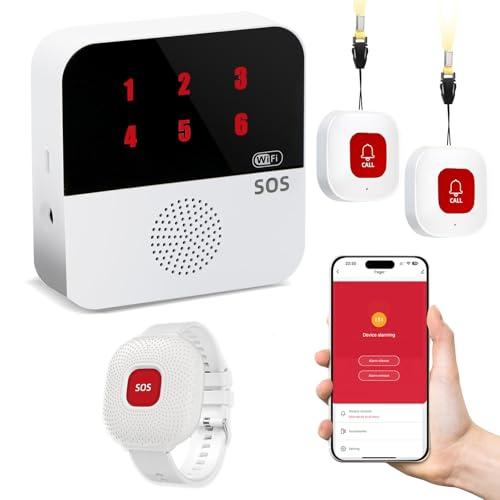
TurboSense Wi-Fi Caregiver Pager with SOS Watch Button

TurboSense Wi-Fi Caregiver Pager with SOS Watch Button
$31.99 · Check price on Amazon

$39.9920% off

Price as of November 22, 2026. #ad How we’re funded

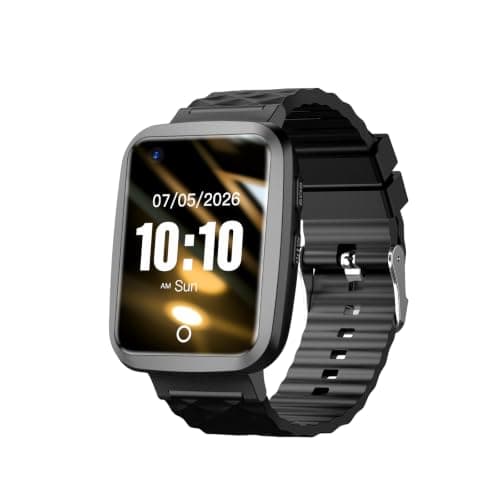
The longest published range of any pager here — 656 ft in the open on a 433 MHz signal — with both a pendant button and a wrist-worn SOS watch in the box, plus app notifications over Wi-Fi. For a house with a garden or a basement, range is the spec that decides whether the chime is heard at all.

What it gets right

  • Published 656 ft / 200 m open-area range on 433 MHz, the longest figure in this group
  • Includes 1 waterproof call button, 1 SOS watch button and 1 receiver — a pendant and a wrist option in one box
  • App push notifications over 2.4 GHz Wi-Fi, published as no monthly fee and no subscription
  • Published adjustable receiver volume levels for multi-room use
  • The listing names the rooms it is meant for — bedroom, bathroom, bedside, kitchen, living room, hallway and wheelchair use

What to know first

  • 656 ft is an OPEN-AREA figure; the listing publishes no through-wall range, unlike two others here
  • It is a pager: nothing is dialed, and no monitoring center or 911 call is published
  • No LED number display, so a multi-button household cannot tell which button was pressed
  • No published battery life, no published fall detection and no IP rating
  • No manufacturer model number published anywhere on the listing

Fit-to-You: the nine measurements

TurboSense does not publish 1 of 8 of these. Where that is the case, this panel says so rather than guessing. How we compile these

What happens when it is pressedThe whole question on an alert device: when the button is pressed, what happens, and who hears it. A chime in an empty house is not a help call.
"Press the alert button to sound the plug-in receiver and send app push notifications through 2.4GHz Wi-Fi". No call is placed

Source: Amazon product listing data (Creators API) · read 2026-11-22

Who the alert reachesThe whole question on an alert device: when the button is pressed, what happens, and who hears it. A chime in an empty house is not a help call.
A "nearby caregiver" in earshot of the receiver, plus "connected family members" on the app

Source: Amazon product listing data (Creators API) · read 2026-11-22

Monthly subscriptionThe monthly cost that isn't on the price tag.
None — "no monthly fee, no subscription", stated without qualification

Source: Amazon product listing data (Creators API) · read 2026-11-22

What it needs to workWhat the device needs in order to work at all — Wi-Fi, a landline, a cellular SIM or just a wall socket. It is the spec that rules a household in or out.
A mains outlet for the receiver; 2.4 GHz Wi-Fi for the app notifications. The button-to-receiver link is 433 MHz radio rather than Wi-Fi

Source: Amazon product listing data (Creators API) · read 2026-11-22

Range from the receiverHow far from the receiver the button still works, and whether the figure is through walls or in the open. Those are very different numbers.
"656ft/200m open-area coverage" on 433 MHz. No through-wall figure published

Source: Amazon product listing data (Creators API) · read 2026-11-22

Buttons included and maximumHow many buttons come in the box and how many the base will take. One button covers one room.
1 waterproof call button, 1 SOS watch button and 1 receiver. The maximum number of buttons is not published

Source: Amazon product listing data (Creators API) · read 2026-11-22

Water resistanceWhether it can be worn in the shower — where a great many falls happen.
The call button is published as waterproof. No IP rating, and nothing is published for the watch button or the receiver

Source: Amazon product listing data (Creators API) · read 2026-11-22

Battery lifeHow often somebody has to remember to charge it.
Not published by the manufacturer

We have not used this machine. Everything above comes from the manufacturer’s published documentation and the dated retailer listing, with the source given for each figure. Where they don’t publish a number, we say so. We can’t tell you how it feels to ride, how quiet it really is, or how it holds up after two years — and anyone who tells you otherwise without owning one is guessing.
What we found looking for these numbers

We went looking for 28 measurements across the 4machines on this page — the nine that decide whether an older adult can get on, reach the controls, read the screen and hear themselves think. 3 of those 28 are not published by anybody. 1 of these machines publishes the full set.

Step-over height is the worst of them. It is the single measurement that decides whether you can get onto a machine at all, and across everything we checked, not one manufacturer states it. That is not an oversight in a category explicitly marketed to seniors, and the count in each panel above is there so you can see who is doing it.

Where a figure exists, we cite it and date it. Where it doesn’t, the panel says Not published by the manufacturer rather than an estimate dressed up as a fact. You can measure step-over height yourself in about a minute — and if a machine is already in your house, that is the fastest way to settle it.

The question that sorts this entire category: what happens when you press it

Amazon listings in this category use “life alert” and “medical alert” for two products that do opposite things, and the words give you no way to tell them apart. So here is the sort, stated in each maker’s own published language.

A caregiver pager rings a box in your house.The TurboSense publishes it plainly: pressing the button sounds the plug-in receiver and sends an app push notification over Wi-Fi, so “connected family members can stay informed”. Nothing is dialed. If the house is empty and nobody is looking at a phone, the alert exists and reaches no one. That is not a defect — it is what the product is — and it is why we rank it last here while still calling it the budget pick, because for a senior who lives with a spouse or an adult child it is the right purchase and the cheapest one.

An auto-dialer places a call.The AtsCares HD700V8 publishes that it “instantly sequentially calls up to 3 phone numbers & plays your personalized emergency message”. The alert leaves the building. It reaches people who chose to be on that list, in the order you set, which is a genuinely different safety proposition from a chime. The honest costs are published too: it uses the home phone line, so a household that canceled its landline cannot use it at all, and the people it calls are your family rather than a trained dispatcher who is awake, on shift, and will stay on the line.

A monitored device reaches a service.The two Seculife devices are the closest in kind to what Life Alert sells, and they are the only picks here with a monthly cost — which is the point. The smartband publishes automatic fall detection plus an SOS button held for three seconds, two-way speakerphone, and a plan at $25 a month; the pendant publishes the same idea with no screen at all, at $20 a month. Both route to pre-set family and caregiver contacts directly rather than to a call center, which is a real difference from Life Alert and we would rather say it than blur it.

If you want this question taken apart for wrist-worn devices specifically — including what Apple and Samsung publish about the fall detection built into their watches, and every plan cost we could find — that is a separate and more detailed page: fall detection watches for seniors. And if the person you are shopping for lives with a carer, the dedicated caregiver pager shortlist compares four pagers properly on range, volume and whether the receiver tells you which button was pressed.

What the monthly fee buys, and what removing it costs

“Life alert alternatives no monthly fee” is one of the live search suggestions for this query, so it deserves a straight answer rather than a sales pitch in either direction.

A monitoring fee pays for people and a network. On Life Alert’s own description that is a 24/7 emergency monitoring center and a dispatcher reachable from anywhere in the USA on cellular coverage. Remove the fee and you remove one or both: either the human on the other end, or the cellular link that works away from the house. Every no-fee device in our registry is a home-range device. The AtsCares publishes 70,000 sq ft of coverage between pendant and base; the TurboSense publishes 656 ft in the open. Both are generous for a house and a garden. Neither follows you to the shops.

That is the trade, and for a great many readers it is a good trade. If the risk you are managing is a fall in the bathroom or on the stairs at home — and the CDC records more than one in four adults 65 and over falling each year, with one fall roughly doubling the chance of the next — then a home-range device with no monthly bill addresses the actual risk. If the person goes out alone and the worry is a fall three streets away, no device on this page covers it and we are not going to pretend one does.

Read the fee print carefully, though, because “no monthly fee” is sometimes conditional. The PRNBRH pager we cover on the pager pagestates in its own listing that the chime and the app push are free but “if you need additional phone SMS notifications, you must subscribe”. The TurboSense states “no monthly fee, no subscription” without qualification. The CallToU pagers have no account behind them at all. Those are three different versions of the same two words.

And in the other direction, be fair to the fee. Seculife publishes $25 a month for unlimited fall alerts, live tracking and voice minutes, which works out near $389 across a first year including the hardware — considerably more than the sticker price, and the reason we say so on every page the device appears on. It is also the only ongoing price any maker in our registry will commit to in writing, and a published price you dislike is worth more than an unpublished one you have to telephone for.

Fall detection, the thing most of these do not have, and what we would do

One more sorting question, because “life alert alternatives with fall detection” is also a live suggestion for this query and the answer is narrower than the listings imply.

Two of the four devices on this page detect a fall. The other two require a deliberate button press. The Seculife smartband and pendant both publish automatic fall detection. The AtsCares and the TurboSense do not, and nor do any of the caregiver pagers — their titles say “fall alert” and their features describe a button. That matters for exactly one scenario, and it is the scenario people buy these for: a fall that knocks you out, or a fall where the button is on the bedside table rather than around your neck.

What none of them publishes — and this includes the two that do detect falls — is how the detection decides, or how often it is wrong. No maker in our registry states a sensitivity, a false-alarm rate, or a test method. That is the same blank we found across the dedicated devices and the smartwatches, and it is why we will not rank any device in this category on how good its fall detection is. We rank on what is published.

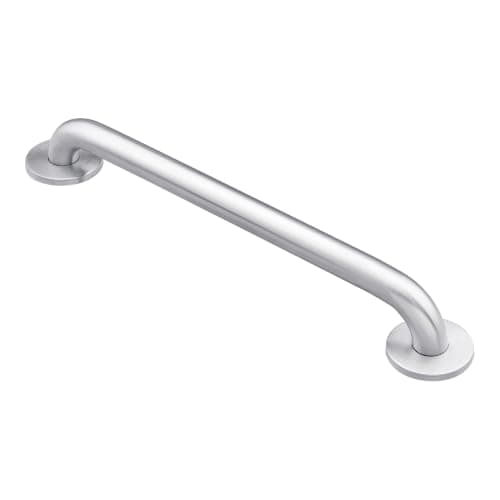
So, what we would actually do, in order. If there is a landline and nobody else in the house, buy the AtsCares HD700V8: it is the only no-fee pick that gets the alert out of the building, and the 2 buttons expand to a published 8, so the bathroom, the bedside and the stairs can all have one. If the fall itself is the fear and nobody will be pressing a button, pay the fee and buy the Seculife smartband— automatic detection, two-way speakerphone, and a published monthly price so there is no surprise. If the person will not wear a smartband, which is the single most common reason these devices end up in a drawer, the Seculife pendant removes the screen and removes that objection, at $5 a month less. And if somebody is at home with them, buy the TurboSense, save the difference, and spend it on a grab bar— which prevents the fall the alert button would have reported.

That last point is worth sitting with. An alert device is the plan for after a fall. The CDC’s STEADI framing is screen, assess, intervene, and the National Institute on Aging puts strength and balance work alongside home modification as the things that reduce the risk itself. Our fall prevention at home guide walks the house room by room without selling you anything, and fifty dollars of fall-prevention equipment buys both a bathroom rail and something to train balance on. Buy the button. Also buy the bar.

General information, not medical advice. Tread & Tone is written by an enthusiast, not a clinician. Nobody here is a doctor, a physical therapist or a trainer, and nothing on this site has been medically reviewed. Talk to your doctor or physical therapist before starting something new, particularly after surgery, a fall, or a change in medication.

Questions people ask

What is the best Life Alert alternative?

If you want no monthly fee, the AtsCares HD700V8 — it is the only no-fee device in our registry that places an outbound call, dialing up to three phone numbers in sequence and playing a message you recorded. It publishes 70,000 sq ft of range between pendant and base, ships with a wrist and a necklace button, and is expandable to eight. Its honest limits: it needs a working home phone line, it calls your family rather than a trained dispatcher, and it has no fall detection — somebody has to press the button.

How much does Life Alert cost?

Life Alert does not publish a price, and we are not going to invent one. Every call to action on lifealert.com is 'For info or a FREE brochure call' a phone number, and the only pricing language on the page is a promotion — 'Order now to get 1 MONTH FREE', footnoted 'when you pay one year in advance'. Any dollar figure you have seen quoted for Life Alert came from a third party rather than from Life Alert. Call and ask, then compare that against the live prices in the buttons on this page.

Is there a medical alert system with no monthly fee?

Yes, and the thing to understand is how the fee is removed: almost always by removing the monitoring rather than by giving it away. Every no-fee device in our registry is a home-range device. The AtsCares HD700V8 dials phone numbers you choose over your landline. The caregiver pagers ring a plug-in receiver in your house, and two of them also push a phone notification. None of them reaches a 24/7 dispatcher, and none follows you away from home. For a fall risk that is inside the house, that is often exactly enough.

What is the difference between a caregiver pager and a medical alert system?

What happens when the button is pressed. A caregiver pager sounds a plug-in receiver inside the same house — and on the Wi-Fi models, pushes a notification to a paired phone. Nothing is dialed and no service is involved. A monitored medical alert system contacts a service or places a call. Both are sold under the words 'life alert' and 'medical alert' on Amazon, with no reliable way to tell them apart from the title, which is why every entry on this site states which of the two things a device does in the maker's own words.

Do any Life Alert alternatives have fall detection?

Two of the four on this page: the Seculife medical alert smartband and the Seculife SOS pendant both publish automatic fall detection alongside a manual SOS button, two-way speakerphone and a published monthly plan ($25 and $20 respectively). The no-fee devices do not — the AtsCares and the pagers all require a deliberate press, whatever their titles suggest. What no maker in our registry publishes, including the two that do detect falls, is how the detection decides or how often it gets it wrong.

Will a no-fee alert device work if I live alone?

An auto-dialer will; a caregiver pager will not. That is the single most important distinction on this page. A pager's chime needs somebody in the house to hear it, so for a person living alone it achieves nothing on its own — though the Wi-Fi models' phone notifications do reach a family member elsewhere, if they happen to see them. The AtsCares places a real call to up to three numbers in sequence and plays your recorded message, which is why it leads this page rather than the cheaper pagers.

Should I buy an alert button or a grab bar first?

If the bathroom has nothing to hold in it, the bar — and we would say that to a relative. An alert device is the plan for after a fall; a grab bar changes whether the fall happens. The CDC's STEADI framing is screen, assess, intervene, and the National Institute on Aging puts balance work and home modification alongside each other rather than in sequence. Our grab bar shortlist ranks five bars against the published ADA figures, and fifty dollars buys a bar and a balance pad together.

Sources

  • Life Alert — official site (lifealert.com) — Life Alert's own site describes a monitored service rather than a product you buy outright: membership includes "FREE use of equipment", "FREE ground shipping" and a "FREE gift with purchase", and the promotion on the page is "Order now to get 1 MONTH FREE" with the footnote "When you pay one year in advance." The published product line is four devices: the Micro Voice Pendant, described as its "most advanced wearable emergency device, providing two-way communication"; a Wristband Button and Bracelet; a wall-mounted Help Button that "connects you directly to our 24/7 emergency monitoring center with a single press"; and HELP On-the-Go + GPS, "a small, wearable button that connects you directly to a Life Alert emergency dispatcher with a single press from anywhere in the USA". The on-the-go unit's footnote states it "uses AT&T cellular coverage for proper operation" and that "Service may not be available in all areas". The company states it has been operating since 1987, "saving lives for over 39 years". CRITICALLY, THE PAGE PUBLISHES NO PRICE AT ALL: every call to action is "For info or a FREE brochure call: 1-800-990-0595", so no monthly or annual cost can be quoted from the issuing authority, and this site therefore quotes none (read November 22, 2026)
  • CDC — Facts About Falls — More than one in four adults 65 and over falls each year; falling once doubles the chance of falling again (read July 24, 2026)
  • CDC — STEADI: Falls Are a Major Threat (fact sheet) — The CDC's clinical fall-prevention initiative: screen, assess, intervene (read July 24, 2026)
  • National Institute on Aging — Falls and Fractures in Older Adults: Causes and Prevention — Why older adults fall and what reduces the risk, including strength and balance work (read July 24, 2026)
  • National Institute on Aging — Older Adults and Balance Problems — Balance problems as a cause of falls, and when to raise them with a doctor (read July 24, 2026)

Product measurements are cited individually inside each Fit-to-You panel, against the manufacturer page or dated retailer listing they were read from.

Read next